How the Node.js Event Loop Really Works
A deep dive into the Node.js event loop, covering phases, microtasks, callbacks, and asynchronous execution.
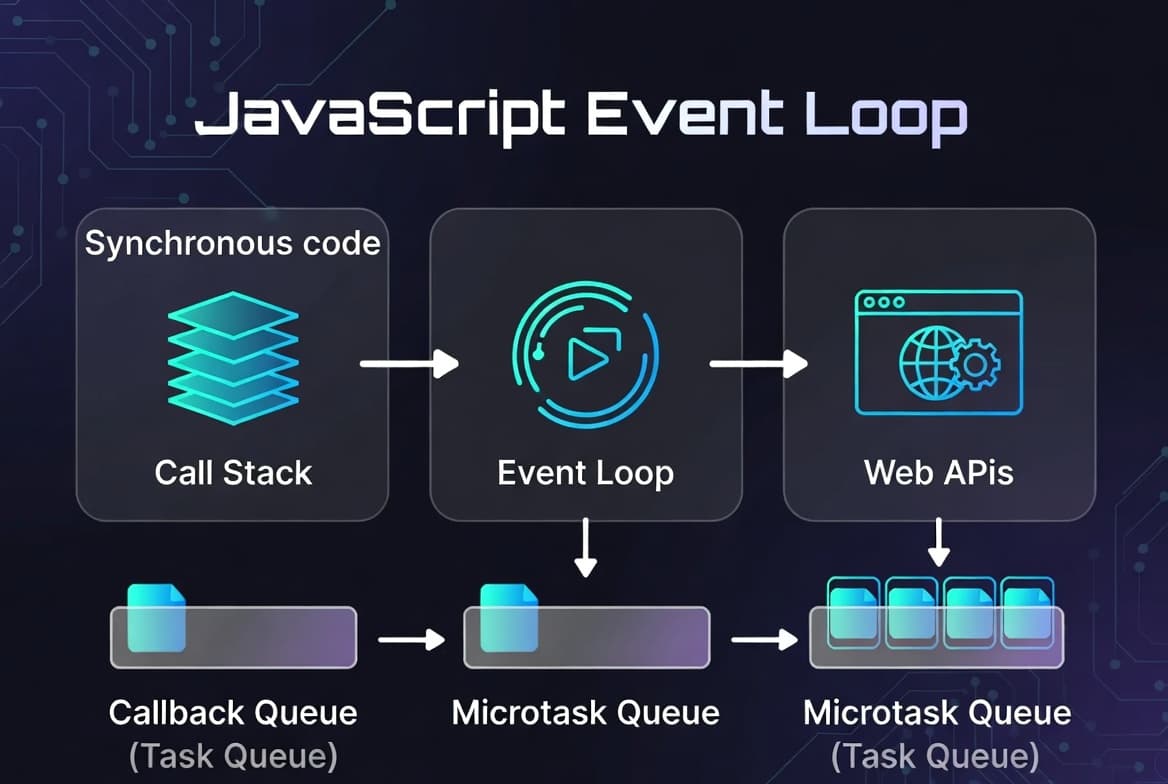
The Node.js event loop is what allows JavaScript to perform non-blocking asynchronous operations.
Event Loop Phases
The event loop consists of several phases:
- Timers
- Pending callbacks
- Idle/prepare
- Poll
- Check
- Close callbacks
Microtasks
Promises and process.nextTick() are handled differently and have higher priority than regular callbacks.
setTimeout(() => console.log("timeout"), 0);

Promise.resolve().then(() => {
  console.log("promise");
});
The promise callback executes first because microtasks are processed before timers.
Why It Matters
Understanding the event loop helps developers:
- Optimize performance
- Avoid blocking operations
- Build scalable backend systems
Real-World Example: Handling API Requests
When a client sends a request to a Node.js server, the event loop plays a critical role in making sure the server remains responsive.
For example, imagine an Express application receiving hundreds of requests per second. Some of those requests may involve querying a database, reading files, or calling an external API.
If Node.js handled each request synchronously, every incoming request would have to wait until the previous one finished. This would make the application extremely slow and unable to scale.
Instead, Node.js delegates asynchronous work and continues processing other tasks while waiting for operations to complete.
This is why Node.js performs particularly well in I/O-heavy backend applications.
Event Loop and Concurrency
Many developers confuse concurrency with parallelism.
Node.js achieves concurrency by efficiently switching between tasks instead of running JavaScript code simultaneously on multiple threads.
This means the server can manage many open connections at the same time, even though JavaScript execution happens on a single thread.
For example, while one database query is waiting for a response, another request can already be processed.
This model is highly efficient for web servers, chat applications, streaming platforms, and APIs that spend much of their time waiting for external resources.
Callback Queue
When asynchronous operations complete, their callbacks do not execute immediately.
Instead, they are placed into a callback queue.
The event loop continuously checks whether the main call stack is empty. If it is, the next callback from the queue is pushed onto the stack and executed.
This mechanism ensures that JavaScript maintains predictable execution order.
Without this queueing system, asynchronous callbacks could interrupt synchronous code unexpectedly, leading to chaotic behavior.
Understanding the Call Stack
The call stack keeps track of currently executing function calls.
Whenever a function runs, it is pushed onto the stack.
Once it finishes, it is removed.
For example:
function first() {
  second();
}

function second() {
  console.log("Hello");
}

first();
Community
Get frequent insights on system design and software architecture on your Telegram with ease